A free interactive visual schedule, on the tablet you have
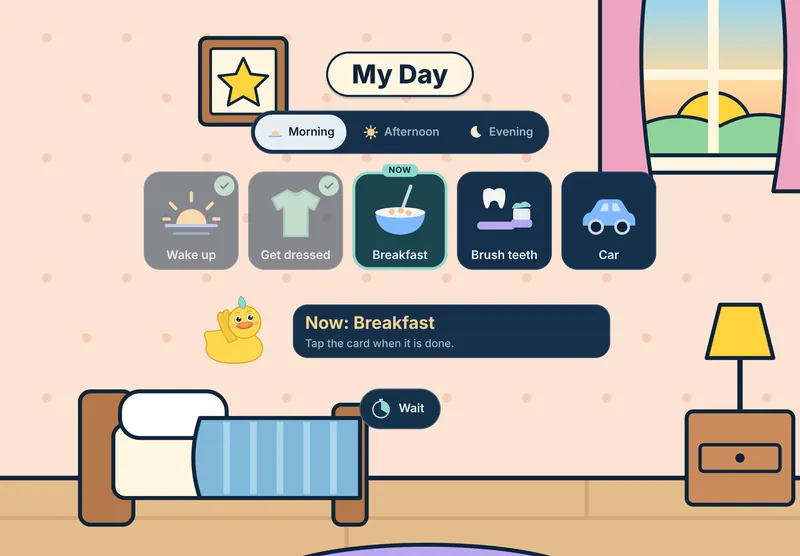
My Day puts your child's morning, afternoon and evening in pictures, right inside the games. Your child taps each card when it is done, and play time ends the same calm way every time.
Why a schedule on the screen
A picture schedule shows what comes now and what comes next. A 2011 review of 23 studies of activity schedules, for people with autism and other intellectual disabilities, most often found more time on task, then more starting and switching tasks on their own.
Paper works. A schedule on the tablet goes where the tablet goes: the car, a waiting room, a visit to family. In a small 2017 study of three autistic boys under 5, the boys learned a book schedule and a tablet schedule at about the same pace, and each boy had his own favorite. So use both, and let your child show you which one fits.
What My Day does
- Three parts of the day. Morning, Afternoon and Evening, with up to 12 picture cards in each.
- 20 picture cards. Wake up, Bathroom, Get dressed, Breakfast, Brush teeth, Car, Bus, Play, Snack, Lunch, Park, Outside, Quiet time, Bath, Dinner, Story, Bed and more, with a card for Liquid Pond itself.
- Now has a ring. My Day opens on the part of the day it is now. The card to do next has a ring and a Now tag.
- Your child ticks it. A tap on the Now card ticks it, and the ring moves on. With the read-aloud voice on, Puddle says the next step: "Next, brush teeth." A tap on any other card says its name.
- Every day starts fresh. Ticks last for today only.
- Wait, a calm timer. Inside My Day, Wait shows a colored disc shrinking over 1, 2, 3 or 5 minutes, then one soft chime and "All done!" No numbers count down. A grown-up holds Hold to stop to end it early.
My Day, Wait, play time and Puddle's goodbye are part of the free games, for good.
How to set it up
- Open the grown-up area. Tap Grown-ups, then your PIN.
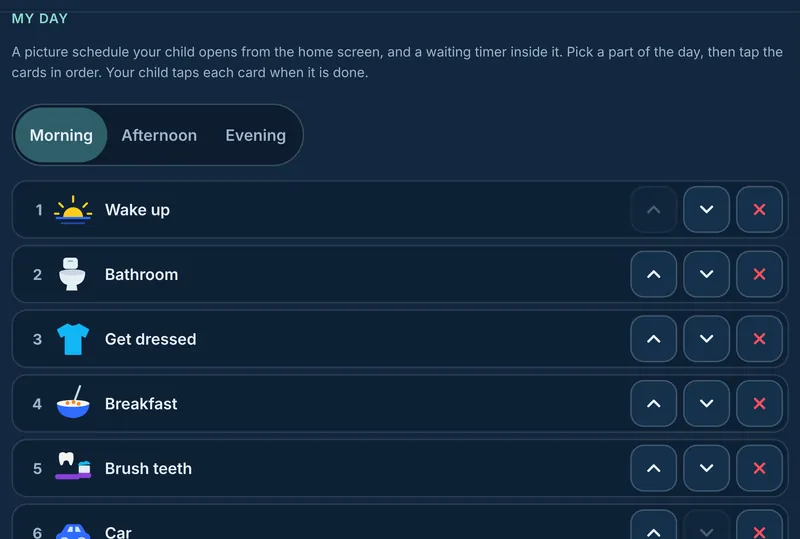
- Go to Play time, then My Day. Pick Morning, Afternoon or Evening.
- Tap the cards in order. Each one joins the list. The buttons beside a card move it up, down or off.
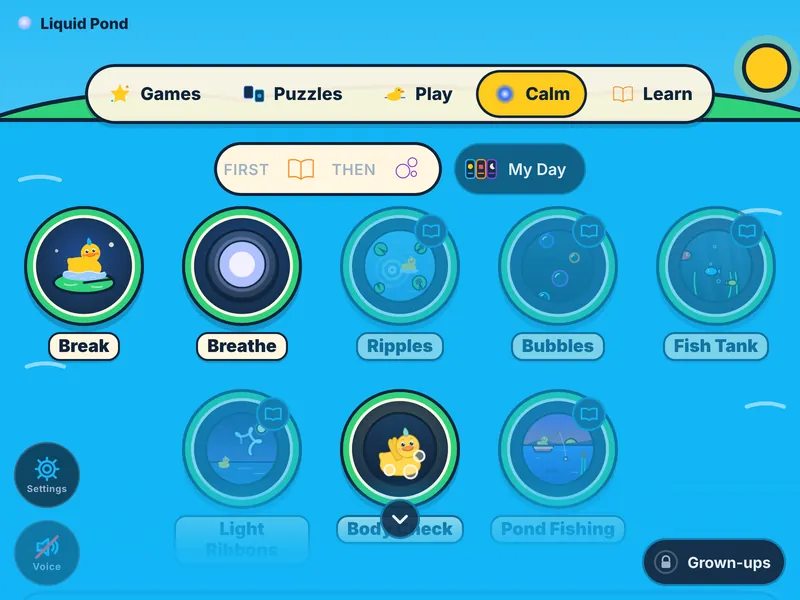
- Hand it over. A My Day button shows on your child's home screen once a list has a card.
- Start again any time. Start today again makes every card ready again for today. Clear this list empties one part of the day.
First, then
For one step before play, turn on Before games, in Play time. Pick Read a book, Do 5 math problems, or Read, then math. The home screen shows a First, then strip: first the book, then the game. The games open once the task is done, and Breathe never locks.
On paper, the first-then strips in our free printable visual schedule work the same way.
Play time and Puddle's goodbye
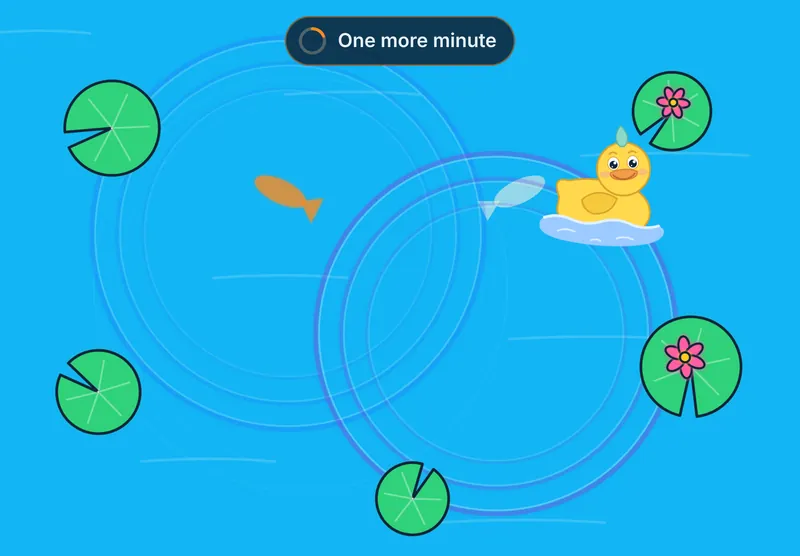
Set a play time of 5, 10, 15, 20 or 30 minutes. At one minute left, a small sign says "One more minute". Ten seconds before the end, it says "Almost done". Then Puddle waves goodbye, the same short scene every time, and a picture card shows what comes next: the calm corner, snack time, lunch, a book, bath, bed or a hug. Our page on screen time with a calm end walks through each step.


Paper and screen together
Many families use both: a printed schedule on the fridge, My Day on the tablet. Use the same pictures and the same words on each. Our free printable visual schedule has 36 picture cards in black and white, many drawn from My Day. Our guide on how to make a visual schedule covers what to put on it and how to show a change.
My Day is made with these needs in mind. It does not replace a plan from your child's teacher or therapist, and every child is different.
Sources
- Koyama T, Wang HT. Use of activity schedule to promote independent performance of individuals with autism and other intellectual disabilities: a review. Research in Developmental Disabilities 32(6), November 2011. 23 studies. Read the summary
- Giles A, Markham V. Comparing book- and tablet-based picture activity schedules: acquisition and preference. Behavior Modification 41(5), September 2017. Three autistic boys under 5. Read the summary
Printables to go with it
The free visual schedule has 36 picture cards for three parts of the day, a schedule board and two first-then strips. The $9 Calm Corner Starter Kit adds a calm-down routine, a first-then board and feelings charts.
See the printables, three free and one kit for $9.
Try it now
Liquid Pond has 55 calm games and activities with Puddle the duck. 30 activities are free for good, with no sign-up and no card. Nothing to install.
Play nowMore from Liquid Pond: all guides, printables, and what is inside.